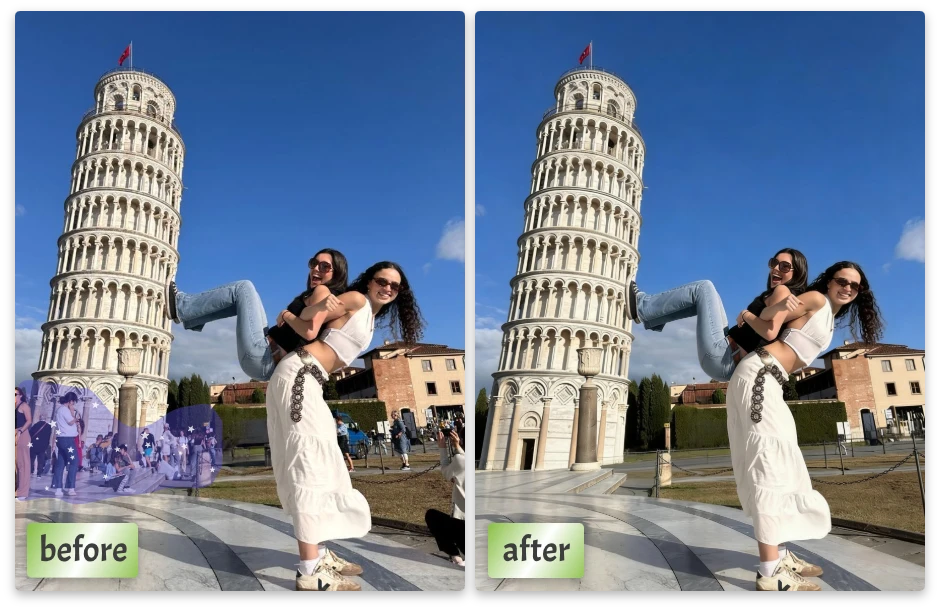
AI Object Remover That Makes Unwanted Things Disappear Naturally

Remove distractions from photos using AI precision. Clean results, realistic backgrounds, zero editing skills required.

or drop a file

No logo? Try one of these:

Example 1
Example 1
Example 1
home_cover

Why This Object Remover Online Free Feels Effortless

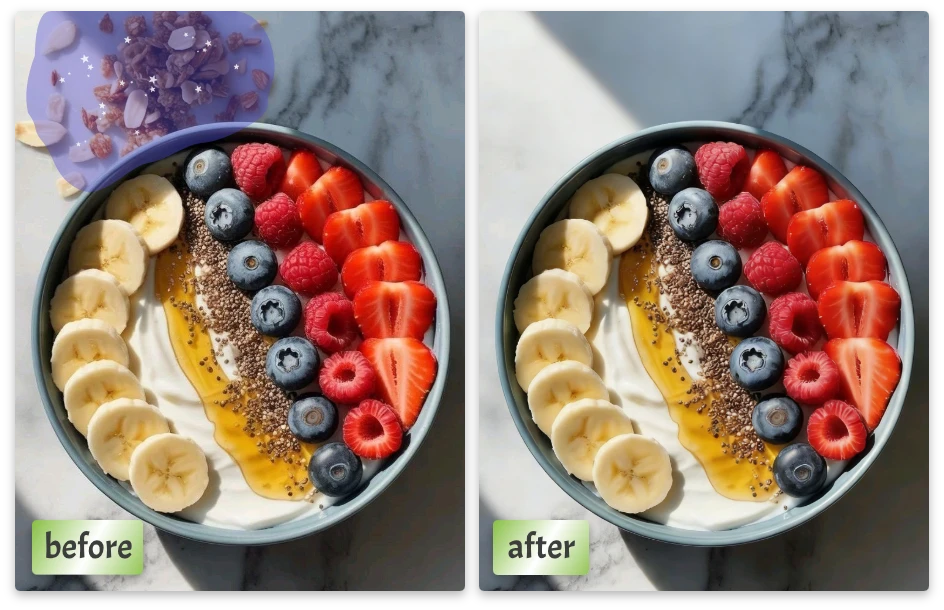
Detect and Remove Object from Photo Automatically

Detect and Remove Object from Photo Automatically

The AI identifies unwanted objects and separates them from the background with precision, even in complex scenes.

Manually Remove Objects with a Simple Brush Tool

Manually Remove Objects with a Simple Brush Tool

You stay in control. Brush exactly where you want changes, and let the AI handle reconstruction.

Rebuild Backgrounds After Object Removal

Rebuild Backgrounds After Object Removal

After removal, the AI fills in missing areas using surrounding textures, lighting, and patterns for natural results.

Enjoy a Free AI Object Remover for Quick Edits

Enjoy a Free AI Object Remover for Quick Edits

Use the free AI object remover for fast cleanup without registration or installation.

How to Use AI Object Removal Tool in 3 Simple Steps

01

Step 1: Upload Your Image

Start by uploading any image from your device. It can be a travel photo, product shot, or everyday picture with distractions.

02

Step 2: Remove the Unwanted Part

Use the brush tool to gently erase the object you don’t want. Simply paint over it—no complex selections required.

03

Step 3: Preview & Download

Preview the result, make small refinements if needed, then download your clean image instantly.
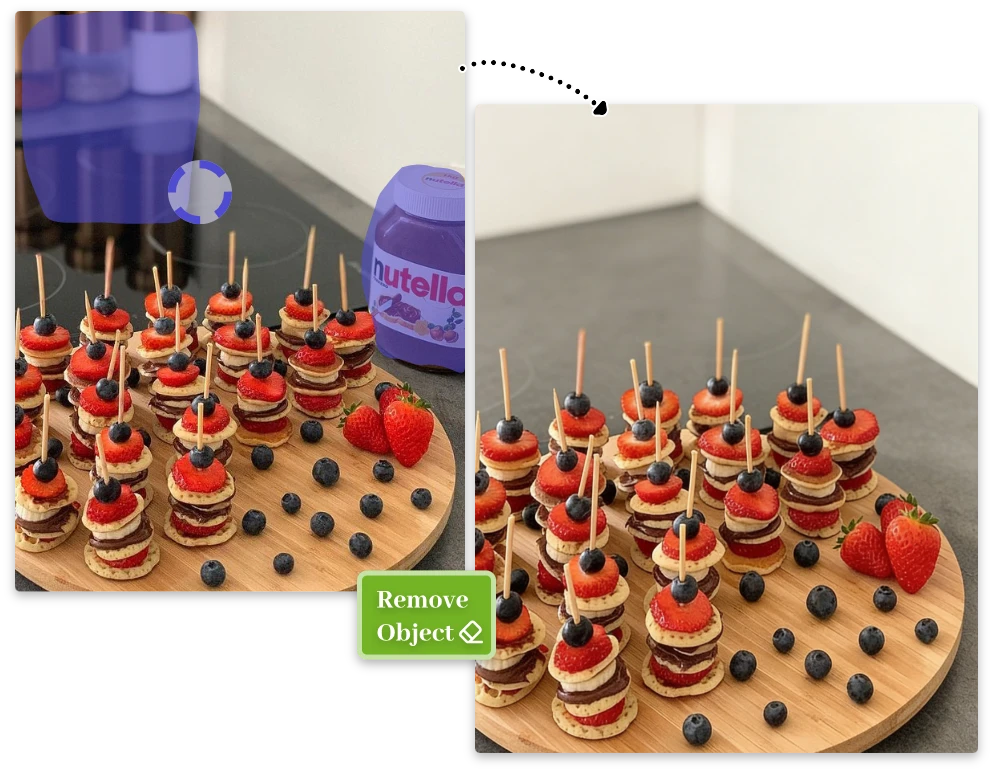
How to Use AI Object Removal Tool in 3 Simple Steps

Real-Life Uses for Removing Objects from Photos

Remove People and Objects from Travel Photos

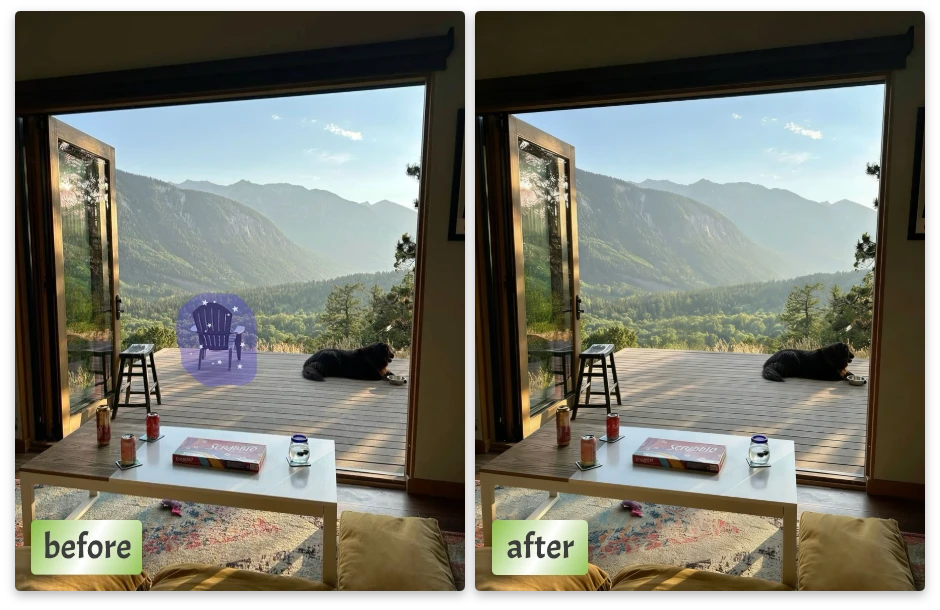
Crowds, passersby, or random objects can ruin a perfect travel moment. Use online photo object remover to remove people from photos while keeping landscapes untouched and natural.
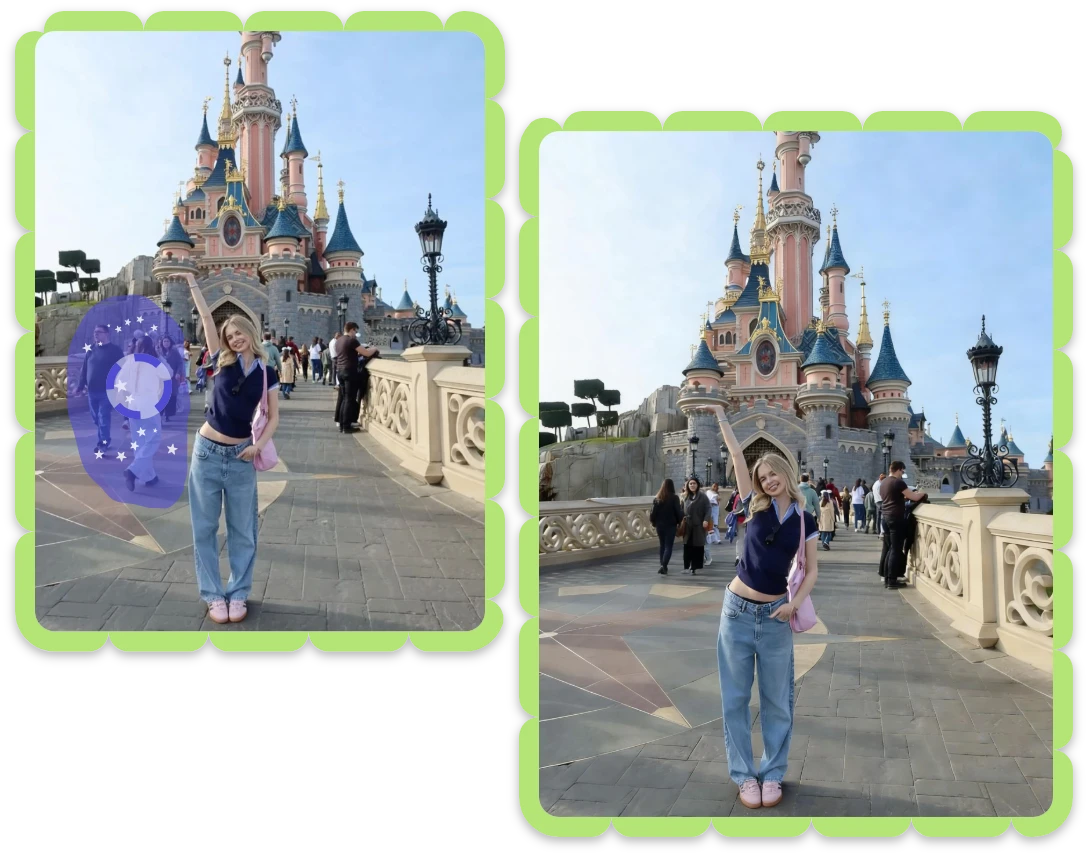
Remove People and Objects from Travel Photos

Clean Product Photos by Removing Unwanted Objects

Remove clutter, props, or imperfections from product photos. Clean visuals help products look professional and ready for e-commerce platforms.
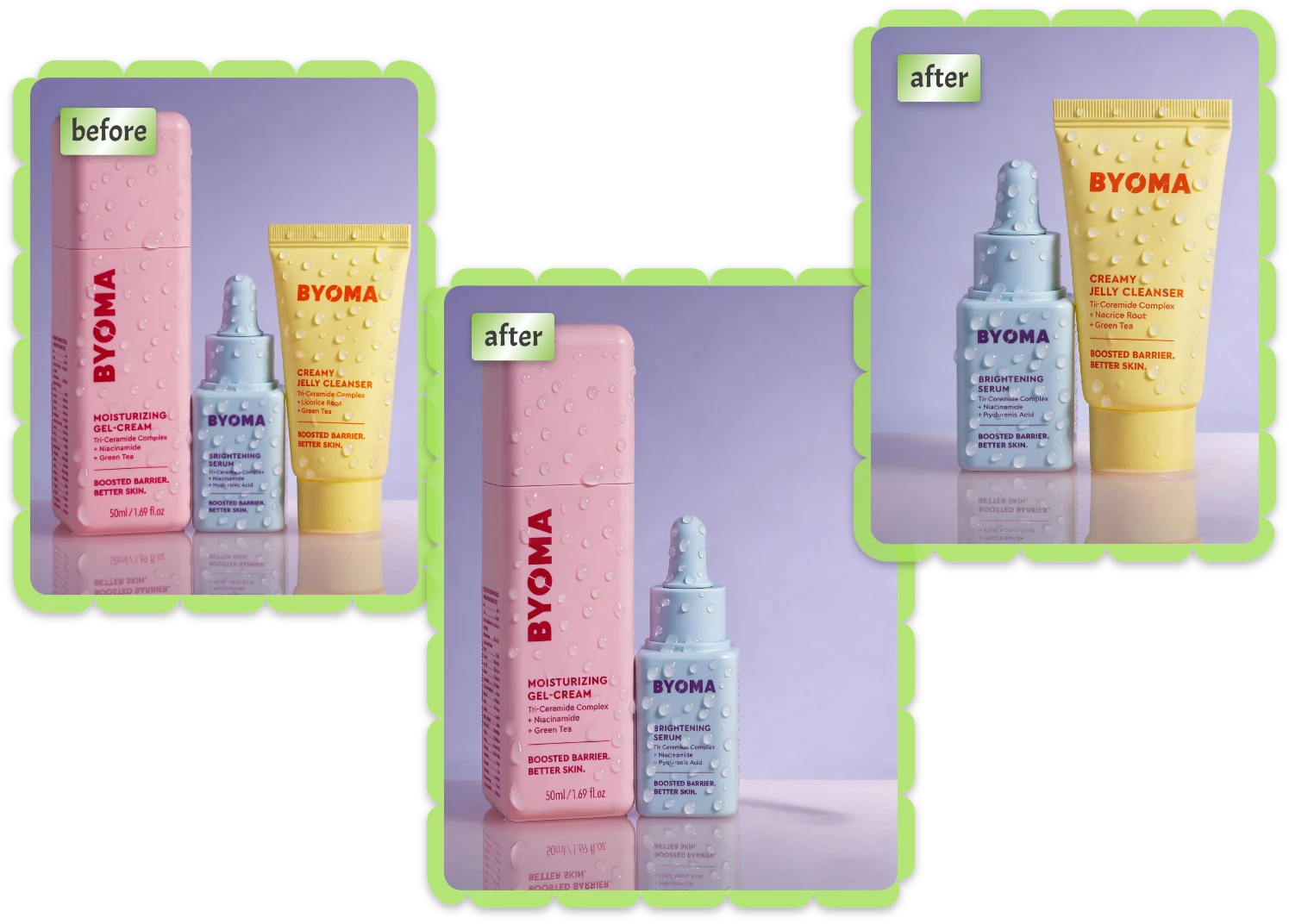
Clean Product Photos by Removing Unwanted Objects

Change Photo Style by Removing Specific Objects

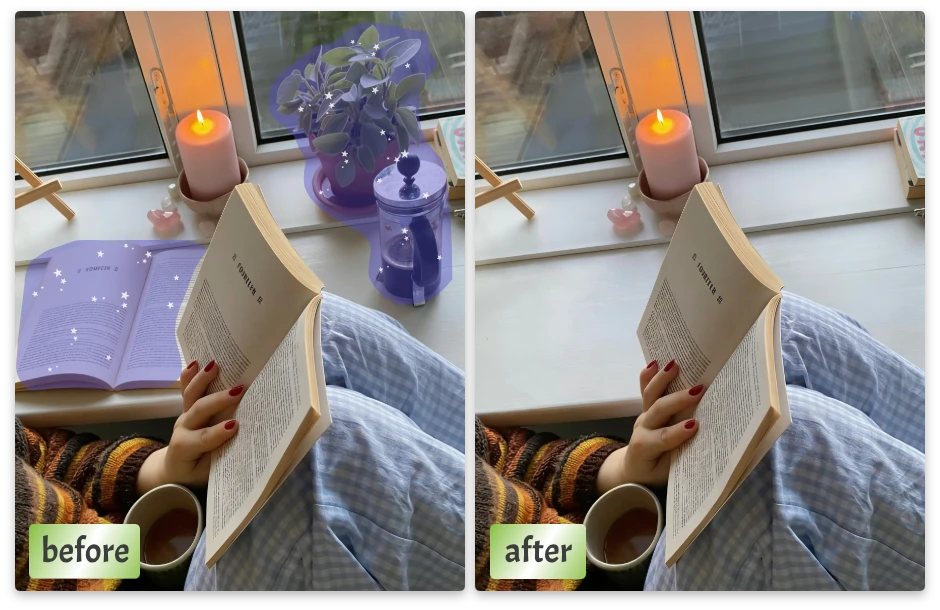
Sometimes removing one object changes the entire mood. Turn busy images into minimal designs or casual shots into cinematic visuals—without filters.
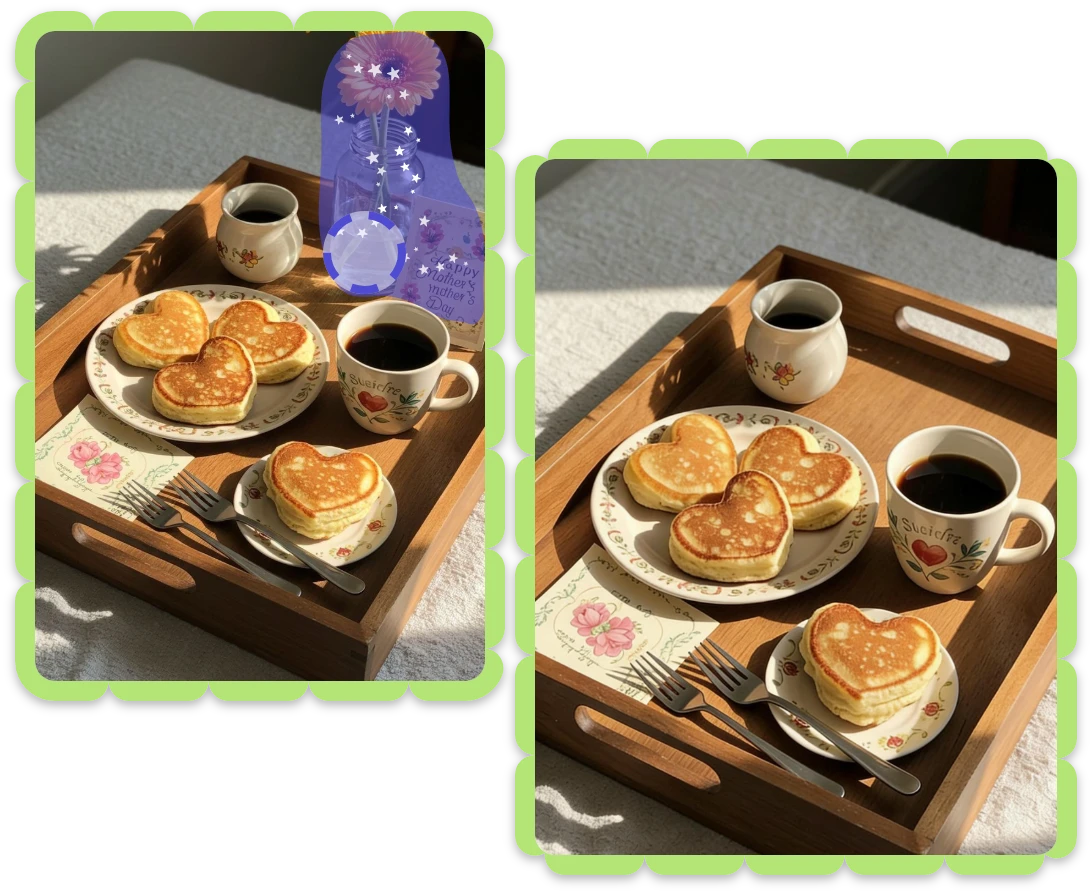
Change Photo Style by Removing Specific Objects

Remove Background Distractions for Social Media

Small distractions weaken strong content. Remove object from photo to keep attention on your subject and create scroll-stopping visuals.
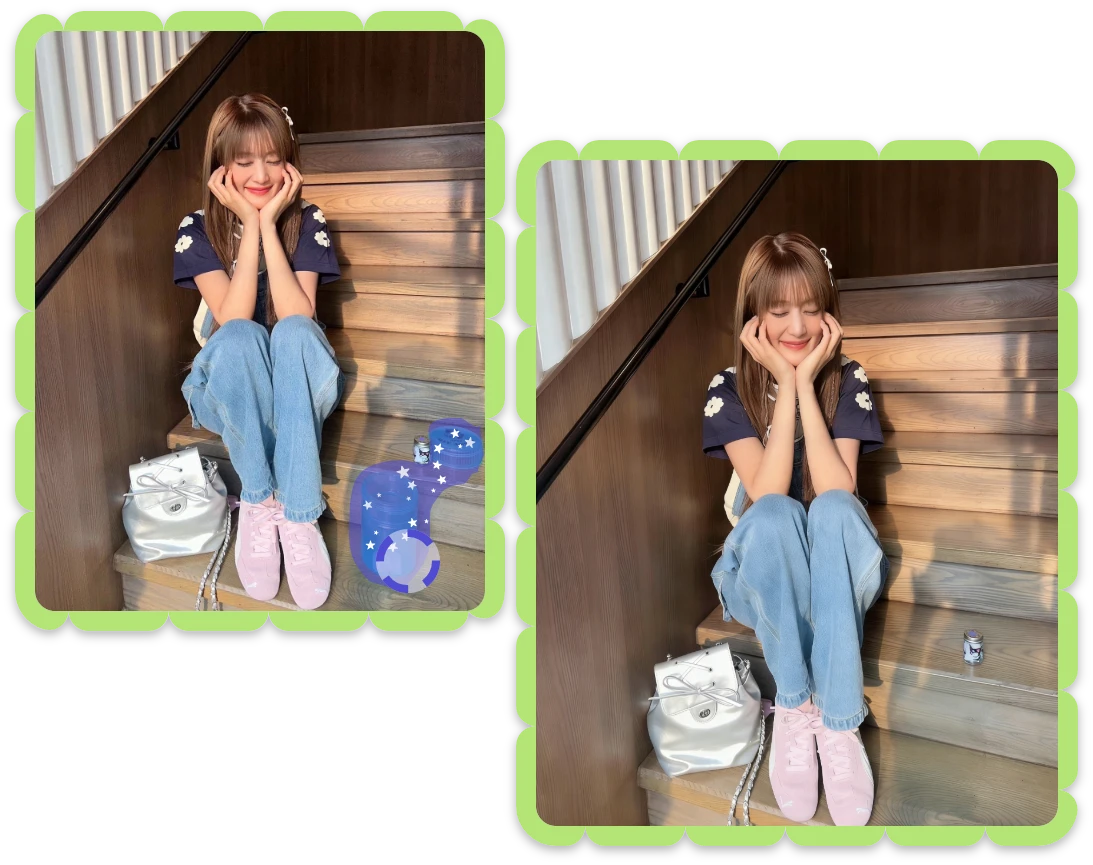
Remove Background Distractions for Social Media

What People Say About Online Photo Object Remover

"

This smart object remover delivers clean edits every time. Removed objects blend naturally, and the photo still looks untouched and professional.

Emily R. – Content Creator

"

I use this free AI object remover for product images daily. Fast results, no quality loss, and perfect for eCommerce listings.

Daniel K. – Online Seller

"

This AI object remover online helps me remove people from photos easily. My travel shots finally look calm and cinematic.

Sophia L. – Travel Blogger

Get Clear Answers About Removing Objects from Images

1. What is an AI object remover?

An AI object remover uses artificial intelligence to detect and remove unwanted objects from photos while intelligently rebuilding the background for natural-looking results.

2. Is this a free AI object remover?

Yes. You can use this free AI object remover online without downloading software or creating an account, directly from your browser.

3. Can I remove object from photo online?

Absolutely. Our Smart object remover online works entirely in your browser, allowing you to remove object from photo anytime, anywhere.

4. Do I need photo editing skills using an AI object removal tool?

No experience is required. The AI object removal tool is designed for beginners, with a simple brush system that makes object removal intuitive.

5. Will removing objects reduce image quality?

No. The AI preserves resolution, lighting, and texture, ensuring removed areas blend seamlessly without visible quality loss.

6. What types of objects can be removed?

You can remove people, text, clutter, background objects, and other distractions from photos with consistent, realistic results.

Remove What Doesn’t Belong—Keep What Matters

Use AI object remover online to remove unwanted objects from photos naturally, refine details with ease, and download clean results in seconds.